

Countries A through H
Back to top
Countries I through P
Back to top
Countries Q through Z
Back to top
Requesting a DHL Pickup Service
To request a DHL pickup service from your hub: Requesting a DHL pickup service from your hub applies when you don’t have a scheduled daily pickup.-
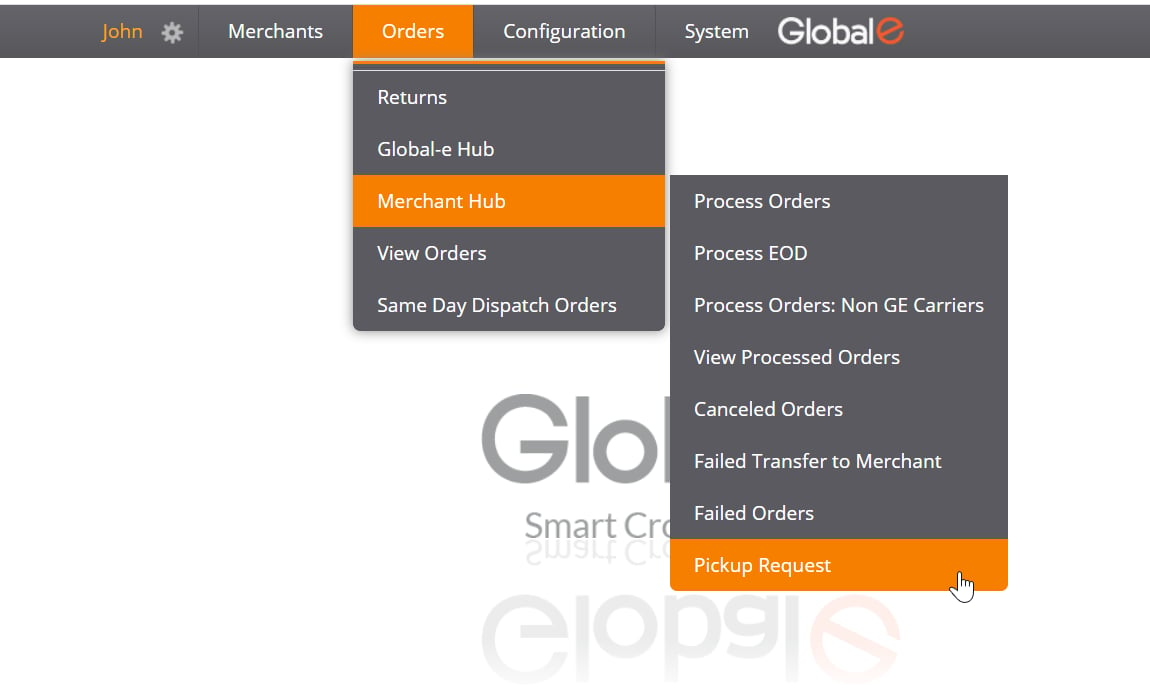
From the Merchant Portal, select Orders > Merchant Hub > Pickup Request.
The Pickup Request form opens pre-populated with default information.
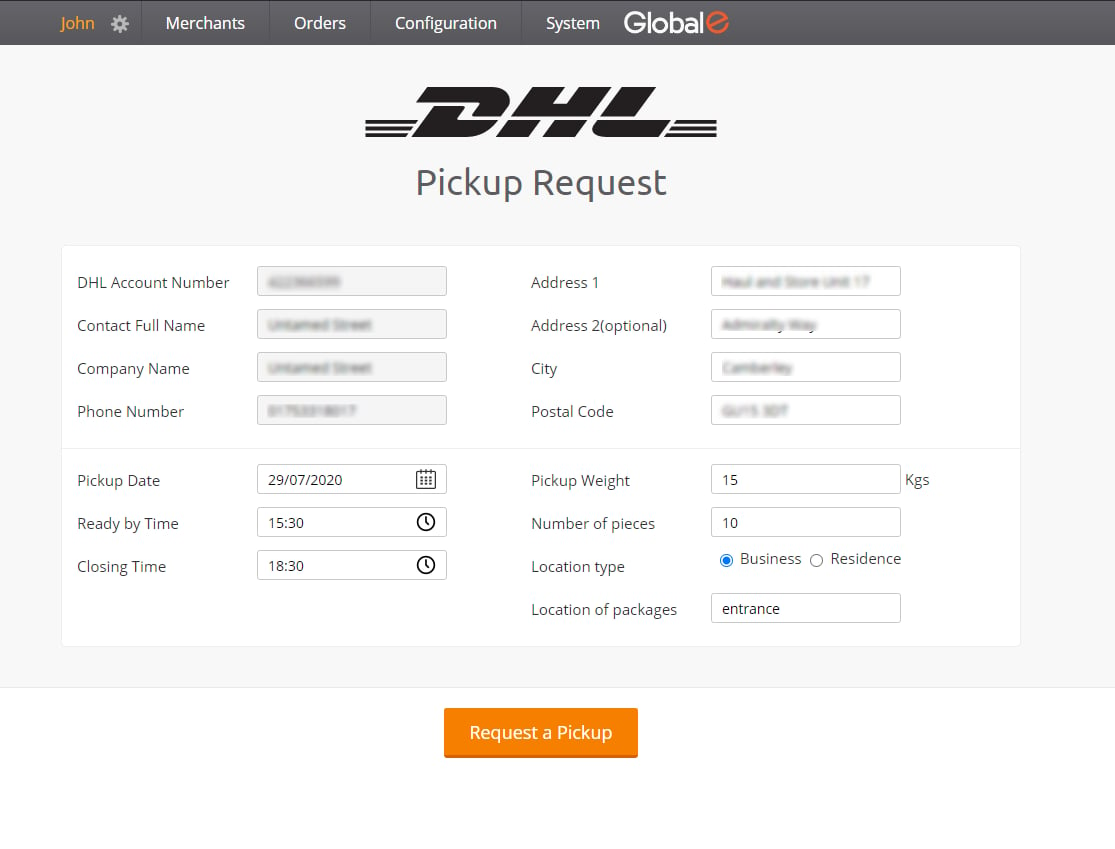
- Change this information as required. See field details in the following table.
- When done, click Request a Pickup to submit your request. Keep your confirmation number for future inquiries.